Walkthrough
See the platform work
A short walkthrough of the Sessionright console on a simulated Azure Virtual Desktop estate: an issue found with its evidence, the fix already written, approved by an administrator, checked, rolled back and logged.
What is in it for your team
Fewer hours finding problems, no change written from scratch, and nothing changing without your sign-off.
Know what is wrong, with proof
82 rules for Azure Virtual Desktop cover host health, security, cost, FSLogix and storage, scaling and image currency. Each issue shows the evidence behind it, so your team can check it instead of taking it on trust.
Get the fix already written
Where a fix is safe to automate, the platform writes it as a dry-run change: the setting, its value before and after, who is affected and whether it can be undone. Nobody has to script it by hand.
Stay in control
Nothing changes until your own administrator approves. The platform checks the live state again before it runs, captures what it changes, and restores it with one click if you need to.
Keep the proof
Every approval, change and rollback goes into a tamper-evident audit log, and each change has an evidence pack for your change records and auditors.
Step by step
The same flow as the video, one screen at a time.
- 1
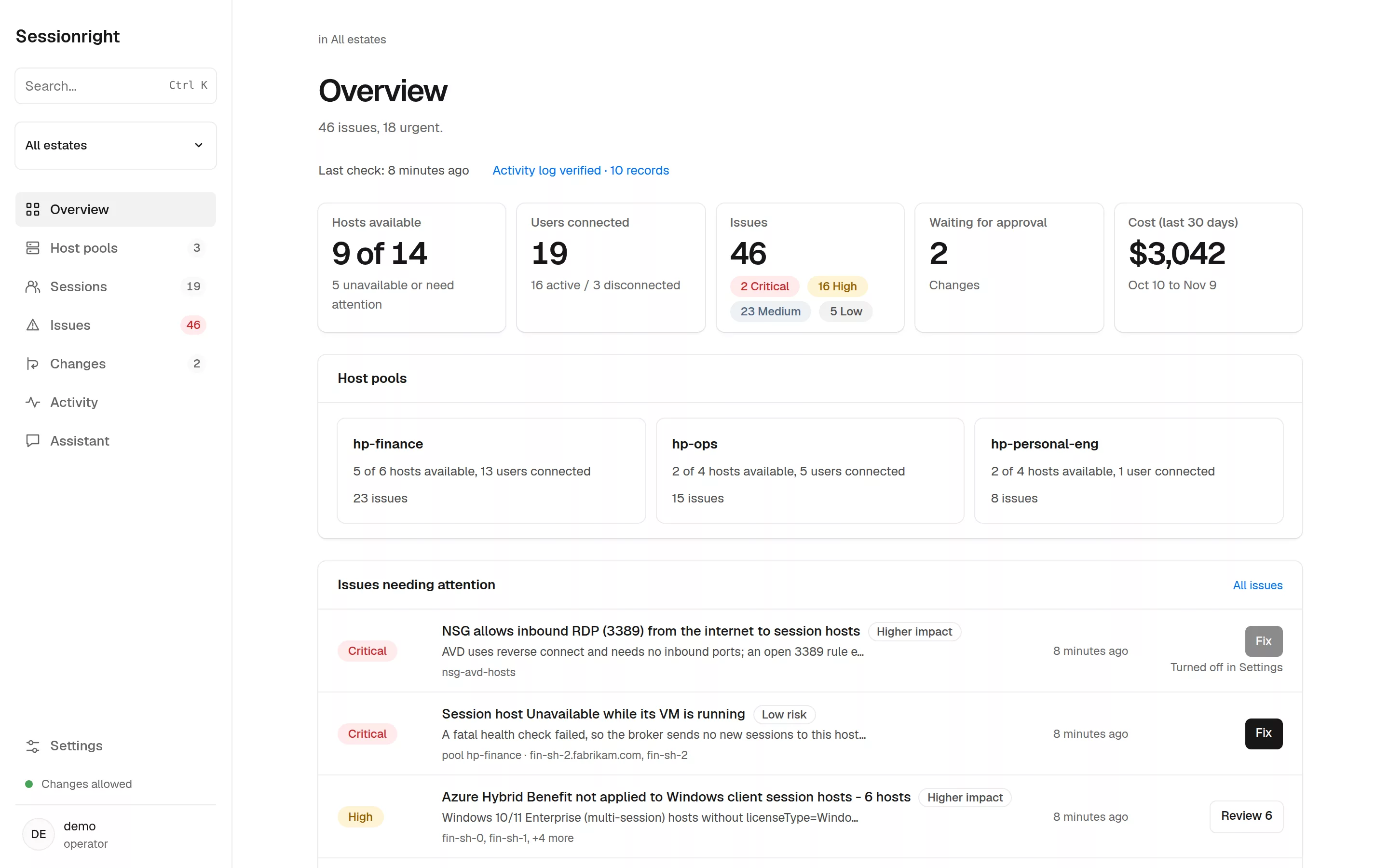
The overview
Hosts available, users connected, open issues, changes waiting for approval and the last 30 days of cost, for every host pool.
- 2
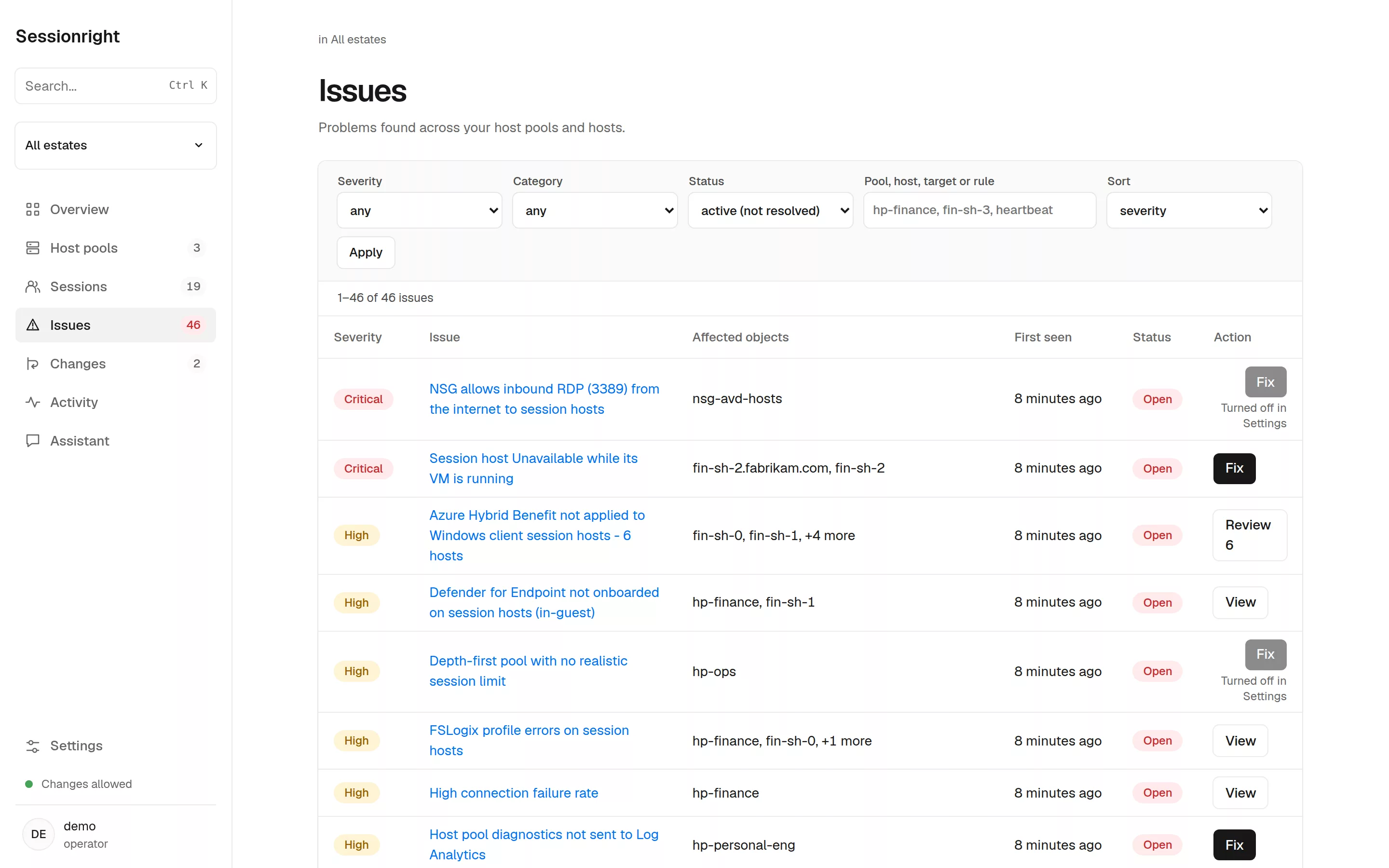
Issues, with evidence
Every issue lists the objects it affects and the evidence behind it. Issues with a ready-made fix carry a Fix button.
- 3
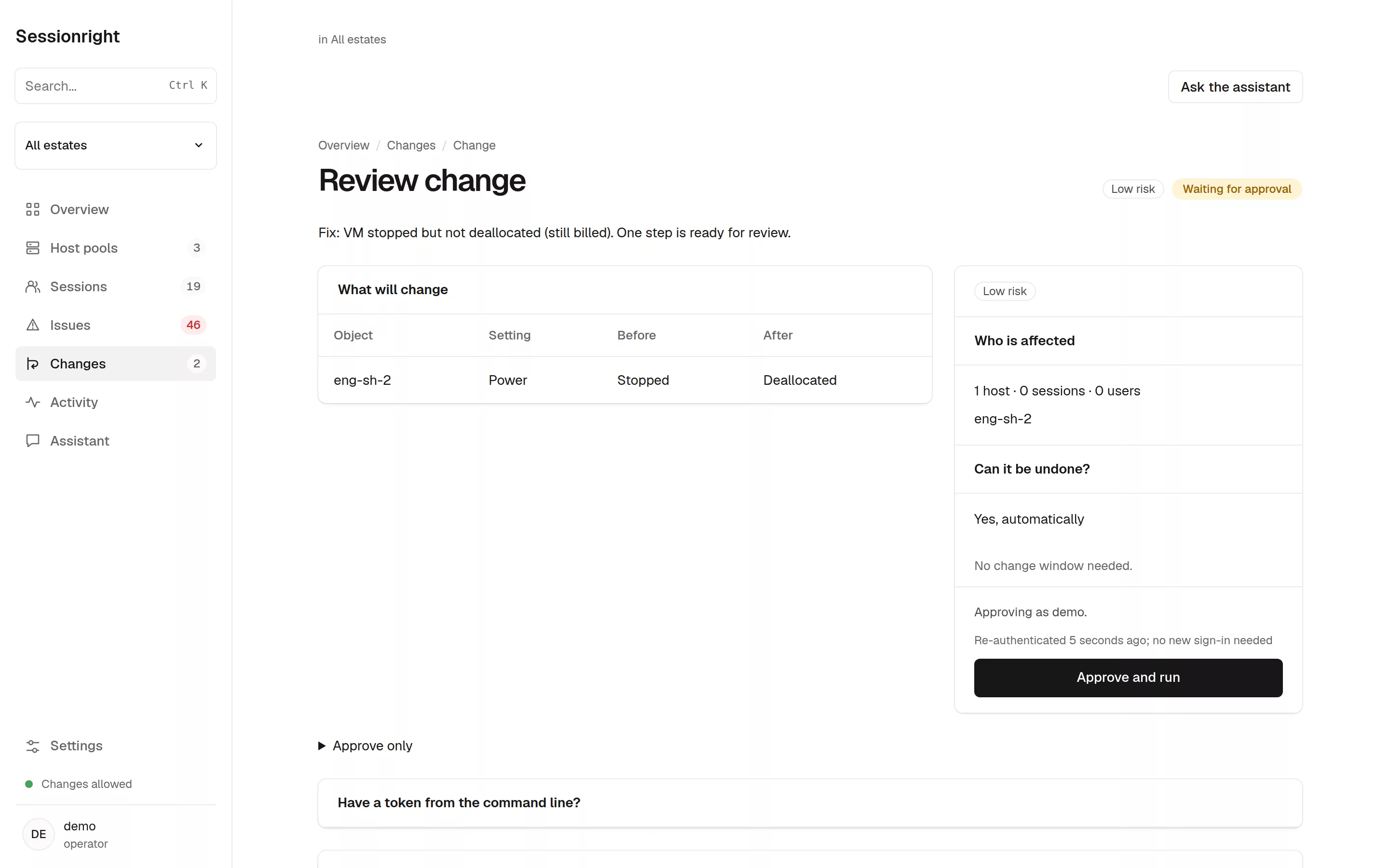
Review the change
The fix for a stopped but still billed session host: one setting, before and after, who is affected, and whether it can be undone. Nothing has run yet.
- 4
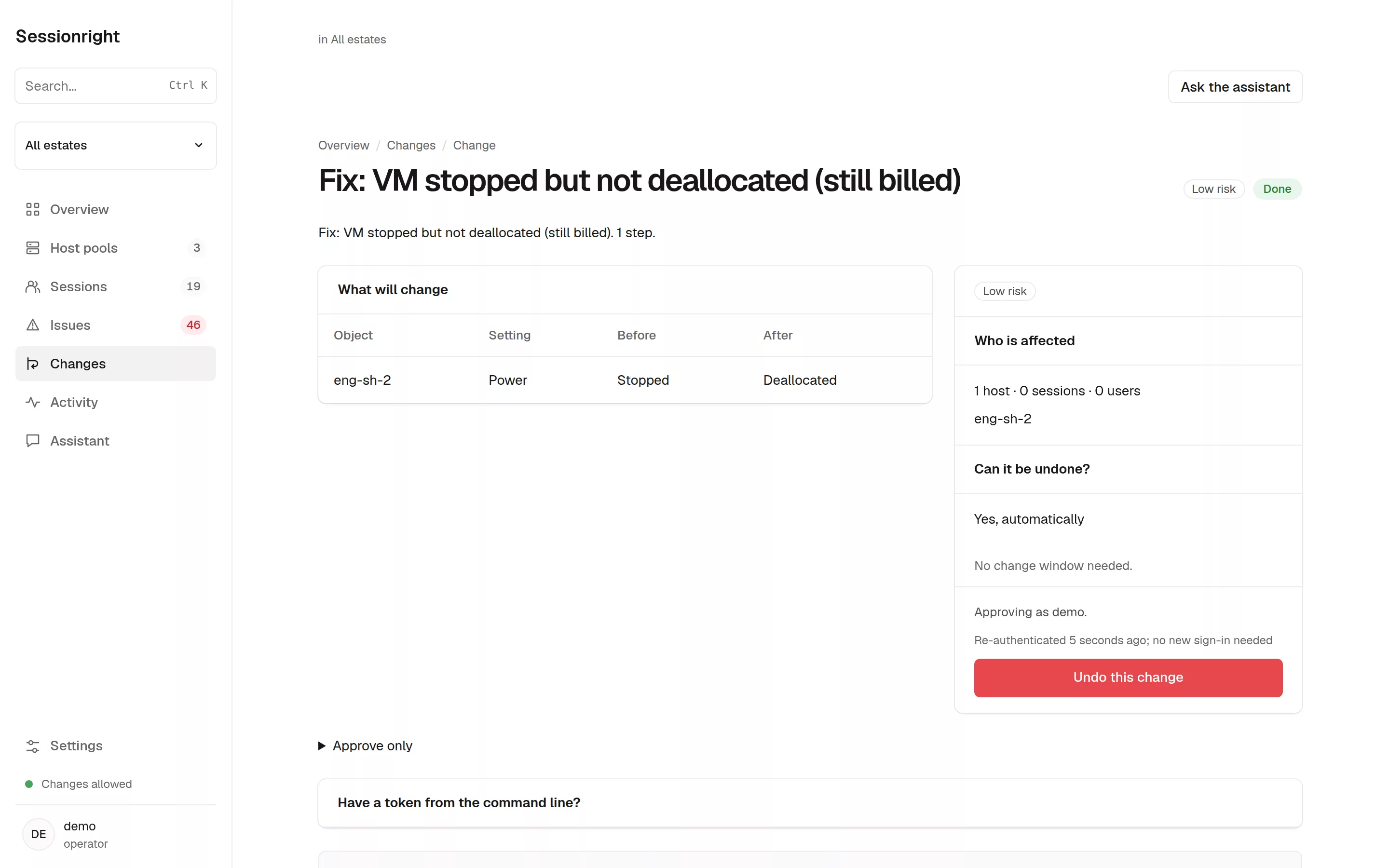
Approved and run
Your administrator approves. The platform checks the live state again, captures the current state, makes the change and verifies it.
- 5
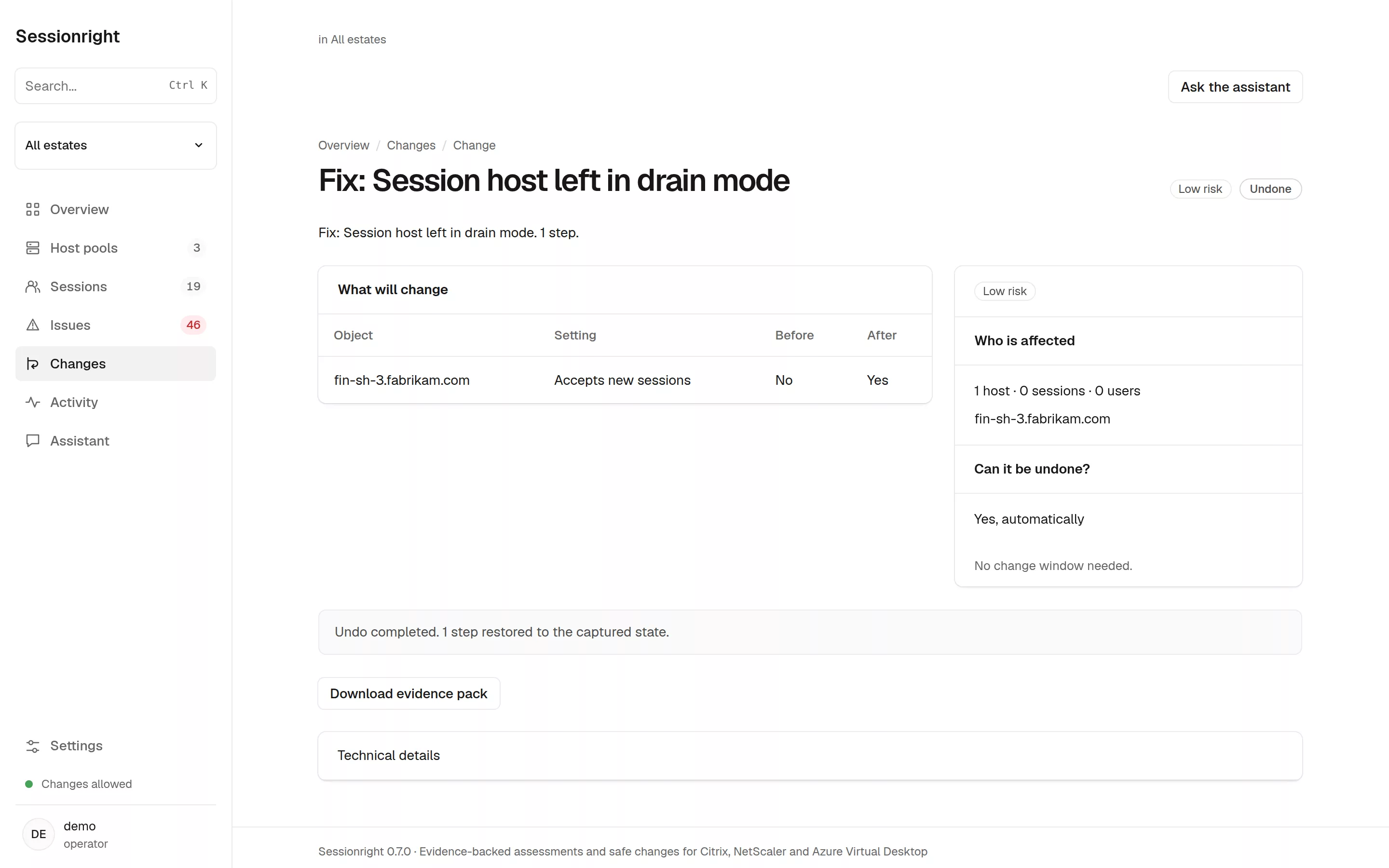
Rolled back
A change you do not want is undone from the same page, back to the state captured before it ran, with its own approval.
- 6
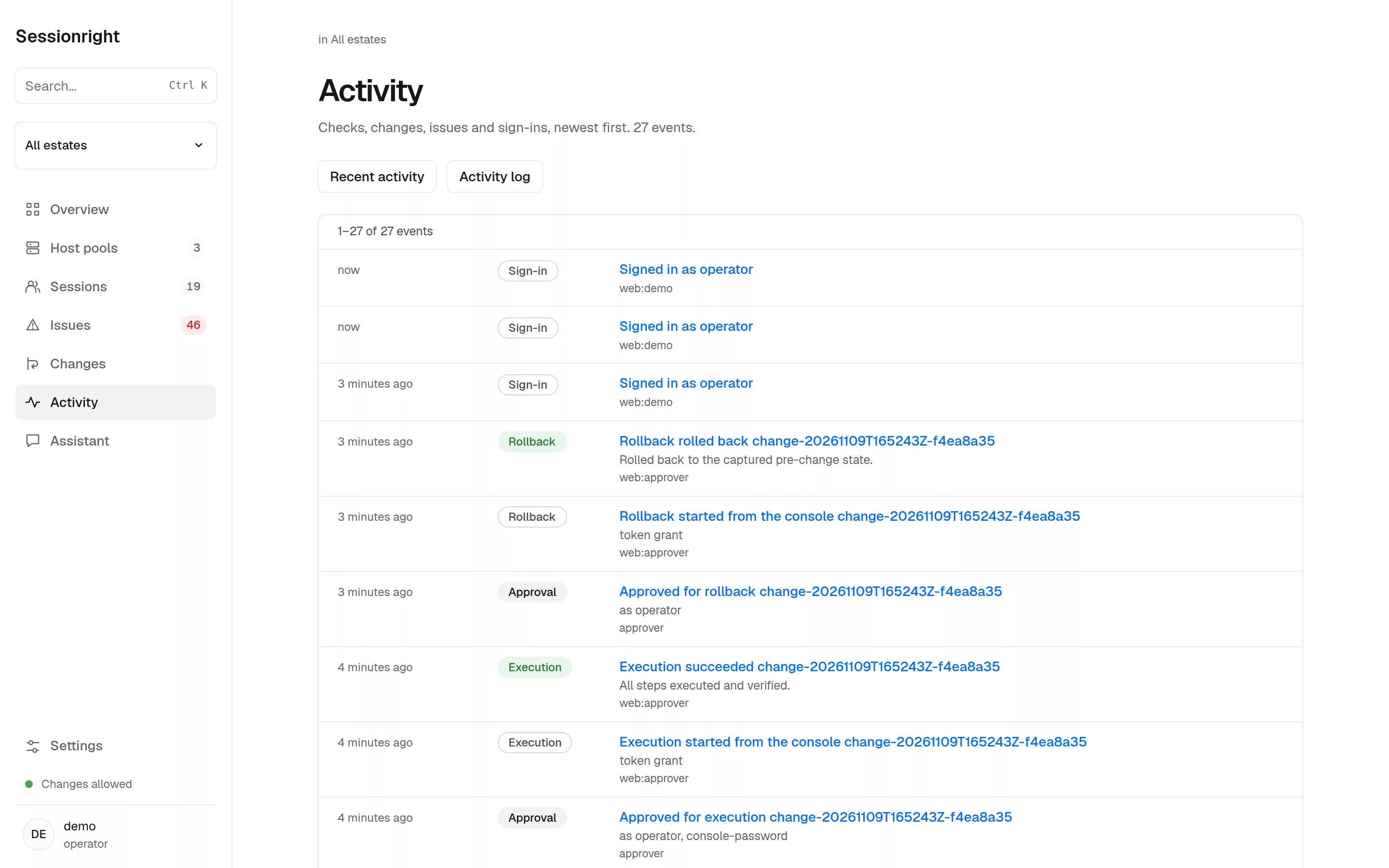
The audit log
Assessments, approvals, changes and rollbacks in one hash-chained log you can export.
It runs in your tenant
The console and its checks run on a small host in your own Azure subscription, under that host's managed identity. It starts read-only. Your estate data stays in your subscription; nothing is sent to Sessionright.
See it on your own estate
The read-only host is free, with no license. Engineer-led assessments are 50% off for design partners. Nothing on your estate changes.